You have the Google Ads account open. There are tabs, columns and a lot of numbers, and it is not obvious which ones decide whether the money is working. Most beginners stare at impressions and clicks because they are the biggest numbers, when the metrics that decide success are further along the row. This guide explains how an account is laid out and the handful of metrics that tell you what is going on. Each comes with its formula, so you can read a row without guessing, whether the account spends fifty dollars a month or fifty thousand.
Where Google Ads sits
Someone searches, the auction picks the ads above the results from the keywords advertisers chose, and you pay only when they click through to your website. Everything in the account is a lever on one of those three moments.
How an account is structured
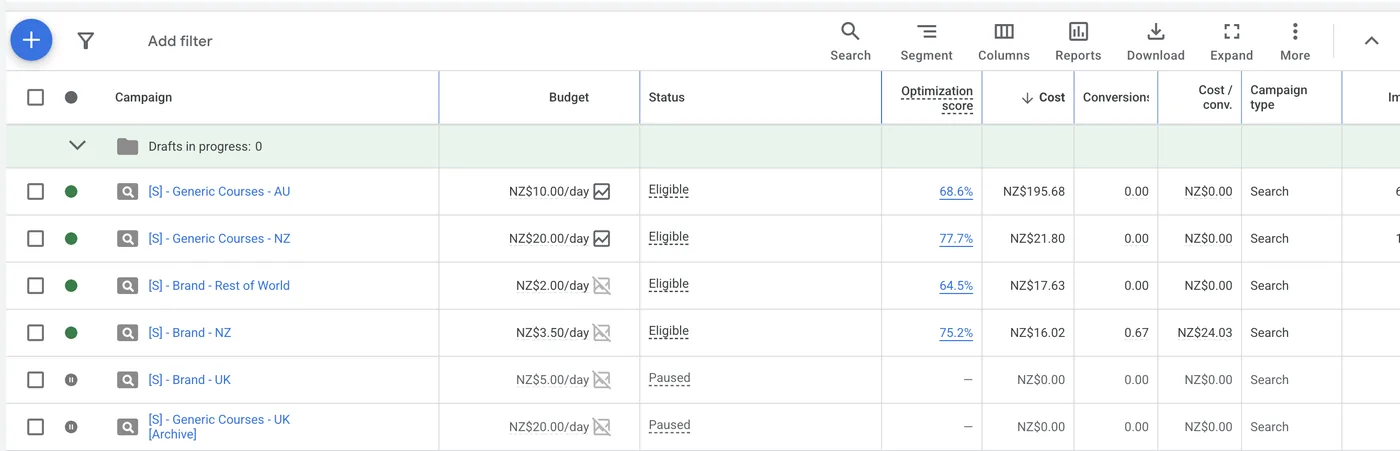
Google Ads nests four levels, from broadest to narrowest. Read top to bottom so you do not drown in detail before you know where to look.
- Account: the whole advertiser. Everything rolls up here, and billing and conversion tracking live here.
- Campaign: a budget and a goal. Each has its own daily budget, target locations and type (see below).
- Ad group: a theme inside a campaign. It bundles closely related keywords with the ads that should serve against them.
- Keyword / Ad: the keyword is the search term you bid on; the ad is the creative that shows. At this lowest level you see exactly what people searched and clicked.
When a number looks off at account level, drill down from campaign to ad group to keyword until you find the part doing the damage (or the good work).
The core metrics, with formulas
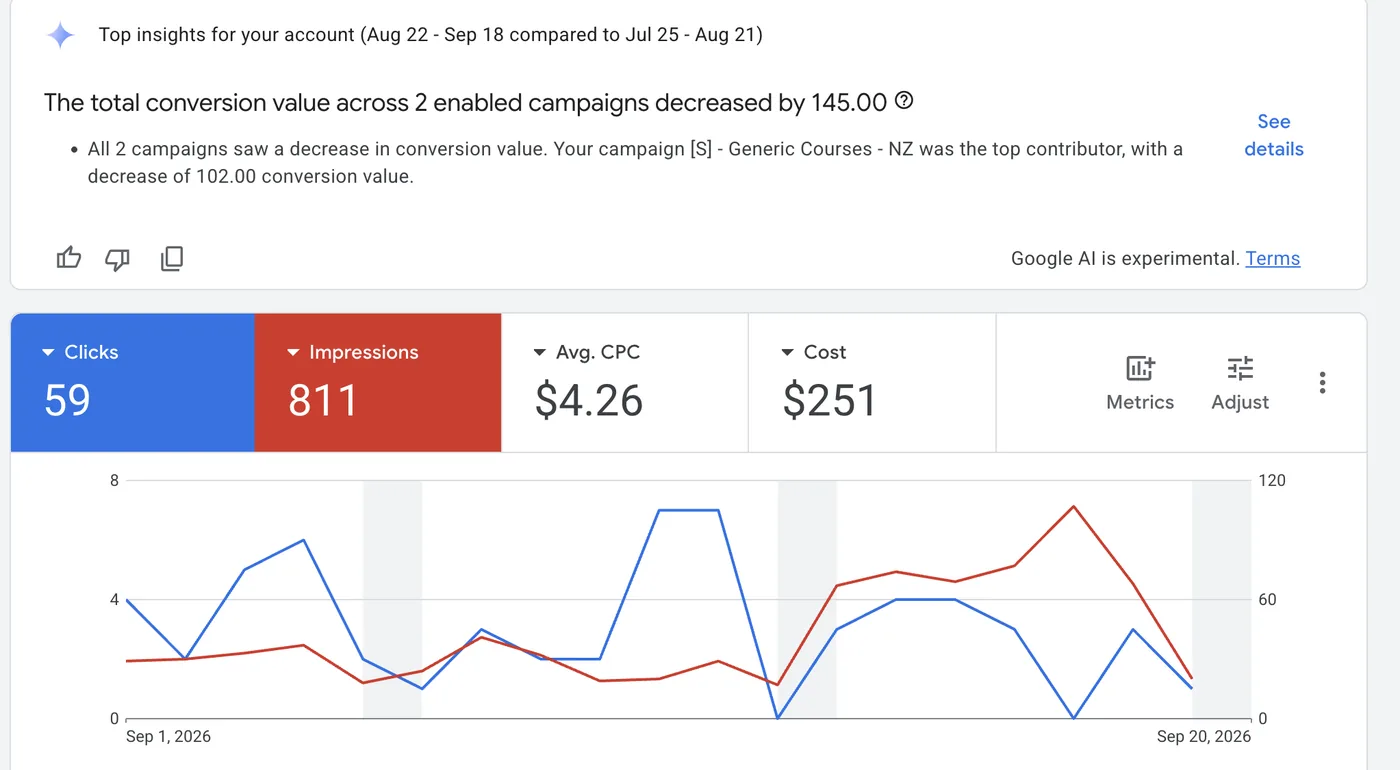
Almost every report is built from the same short list. Learn these and most dashboards make sense.
- Impressions: how many times your ad was shown. Reach, not quality.
- Clicks: how many times someone clicked the ad.
- CTR (click-through rate) = clicks ÷ impressions. The share who clicked after seeing the ad. It shows whether the ad and keyword suit the search.
- Cost: total spend over the period. The denominator in most of the ratios that matter.
- CPC (cost per click) = cost ÷ clicks. The average price of a click. Useful for spotting expensive keywords.
- Conversions: the valuable actions you count: a purchase, a lead form, a call. You define what counts in conversion tracking.
- Conversion value: the revenue (or assigned worth) of those conversions. For lead gen you may set a fixed value per lead.
- ROAS (return on ad spend) = conversion value ÷ cost. Read it as "for every $1 you spend, you get $X back." A ROAS of 4 means $4 returned per $1 spent.
- CPA (cost per acquisition, also cost per conversion) = cost ÷ conversions. What each conversion costs you. The number to compare against your target.
Ratio totals are weighted, not averaged. The overall CTR is total clicks ÷ total impressions, not the average of each row's CTR, because averaging lets a tiny, high-CTR keyword distort the picture. The same goes for blended CPC, ROAS and CPA: always divide the totals.
Campaign types in one line each
- Search: text ads on the Google results page, triggered by keywords. The most transparent type, since you can see the exact queries.
- Performance Max: one campaign running across all Google inventory (Search, Display, YouTube, Gmail, Maps), largely automated, with limited visibility into individual placements.
- Shopping: product listings with image and price, driven by your Merchant Center product feed rather than keywords.
Spend tells you what you paid. ROAS and CPA tell you whether it was worth it.
What to look at first
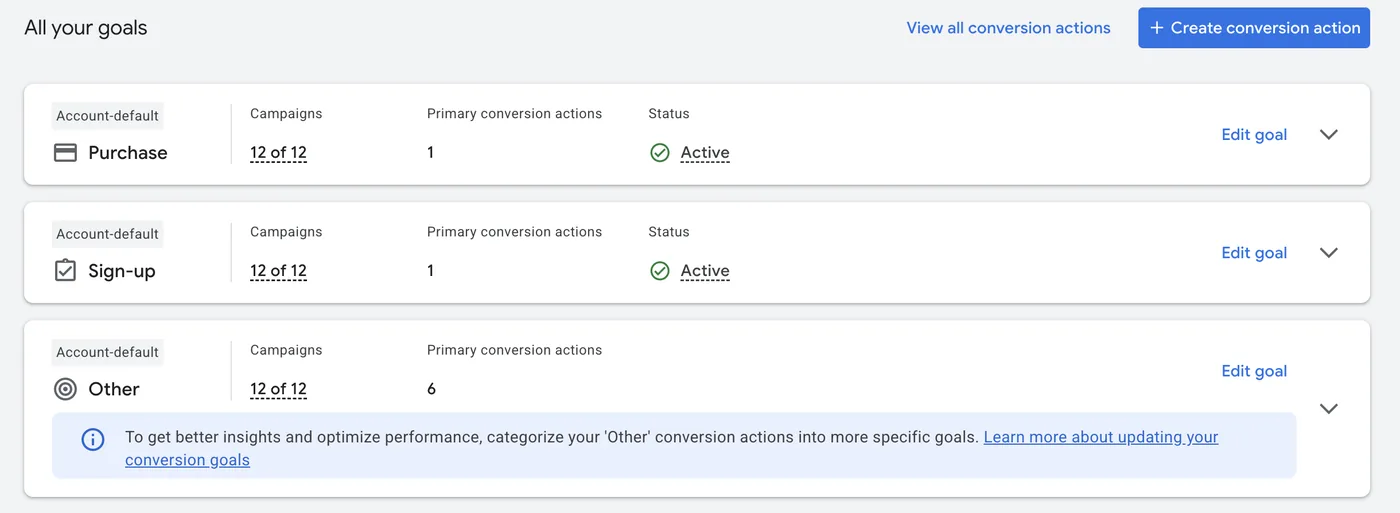
Do not scan every column. Work in this order:
- Cost: are you spending roughly what you expect for the period?
- Conversions: are the valuable actions actually happening?
- ROAS or CPA against target: for an ecommerce account, is ROAS above your break-even? For lead gen, is CPA at or below what a lead is worth?
- Drill by campaign: once the headline looks right or wrong, sort campaigns by cost and by ROAS to see which ones carry the result.
That sequence answers the question a client really asks: did the money do its job, and where? A campaign can have a high CTR and a healthy click count and still lose money if the conversions are not there, so never judge an account on traffic alone. Conversion data also depends on correct tracking, which is easier to trust once Ads and your analytics agree. Our guide on the Google Ads and GA4 connection walks through it, and it is worth doing before you draw conclusions from conversion data.
Keep this one
Cheat sheet
| Metric | Formula | Why it matters |
|---|---|---|
| CTR | clicks ÷ impressions | Ad and keyword fit the search |
| CPC | cost ÷ clicks | Average click price; flags expensive terms |
| Conversions | counted actions | Valuable actions happening |
| ROAS | conversion value ÷ cost | Return per $1; the ecommerce headline |
| CPA | cost ÷ conversions | Cost of each conversion; the lead-gen headline |
In Clearly
Connect Google Ads once and your campaigns flow into a report without exports or copy-paste. The headline scorecards put cost, clicks, CTR, conversions, ROAS and CPA in one row, each with a period-over-period delta coloured the right way (cost down is good, ROAS up is good), so a glance shows whether things moved in your favour.
Because Ads and GA4 share a report, you can put spend next to the outcomes it drove (sessions, conversions, revenue) in one client-ready page you can share with a link. You don't need screenshots or spreadsheet stitching, and the weighted totals are handled for you.
The short version
Read an account top to bottom (account, campaign, ad group, keyword) and judge it on a few metrics, not the whole column wall. Start with cost, then conversions, then ROAS or CPA against target, and drill by campaign to find the cause. Keep the four formulas (CTR = clicks ÷ impressions, CPC = cost ÷ clicks, ROAS = conversion value ÷ cost, CPA = cost ÷ conversions) within reach, and remember that totals are weighted.
The series
All nine Platform 101s, in setup order
What each platform does, what it costs, how to set it up, and what its numbers mean.