Can I create demand?
That is the question Meta Ads answers, and it differs from the one Google Search answers. Nobody opens Instagram to buy a heat pump. They open it to see what their cousin is doing on holiday, and somewhere between the third and fourth post they see yours. That is interruption, not intent: you are paying to put something in front of a person who was not looking for it and can scroll past it in a third of a second.
That is Meta's weakness and its whole point. Someone typing "emergency plumber Wellington" into Google has already decided; a plumber will almost always get a cheaper enquiry there, and no clever Meta targeting changes that. Meta earns its place at the other end, where the audience is defined by who people are and what they like, and where the demand does not exist yet because the person does not know they have a problem. A new product, a category nobody searches for by name, a service people think about once every five years: those are Meta's jobs. Meta is not a cheaper version of search, so if people already search for what you sell, meet them there first.
Google catches demand that already exists. Meta creates demand that does not. Most businesses need both, and most need them in that order.
How an ad finds someone
Three stages, and you touch little of it. You hand Meta a creative and a budget; Meta decides who sees it. Understanding that split is most of what separates someone who fixes the right thing from someone who keeps rebuilding audiences.
What you control
The creative, the budget, the objective, and roughly who: a country, an age range, sometimes an interest.
What Meta controls
Exactly who sees it, when, and on which placement.
So on Meta the creative is the targeting. The algorithm does not know who your customer is when the ad goes live. It shows the creative to a spread of people, watches who stops scrolling and who acts, and narrows towards more people like them. An advert built around a tradesperson's ute finds tradespeople; the same offer photographed on a kitchen bench finds homeowners. Changing the picture moves the audience more reliably than changing the audience settings, which is why experienced buyers work on the creative while their competitors work the targeting panel.
The four numbers
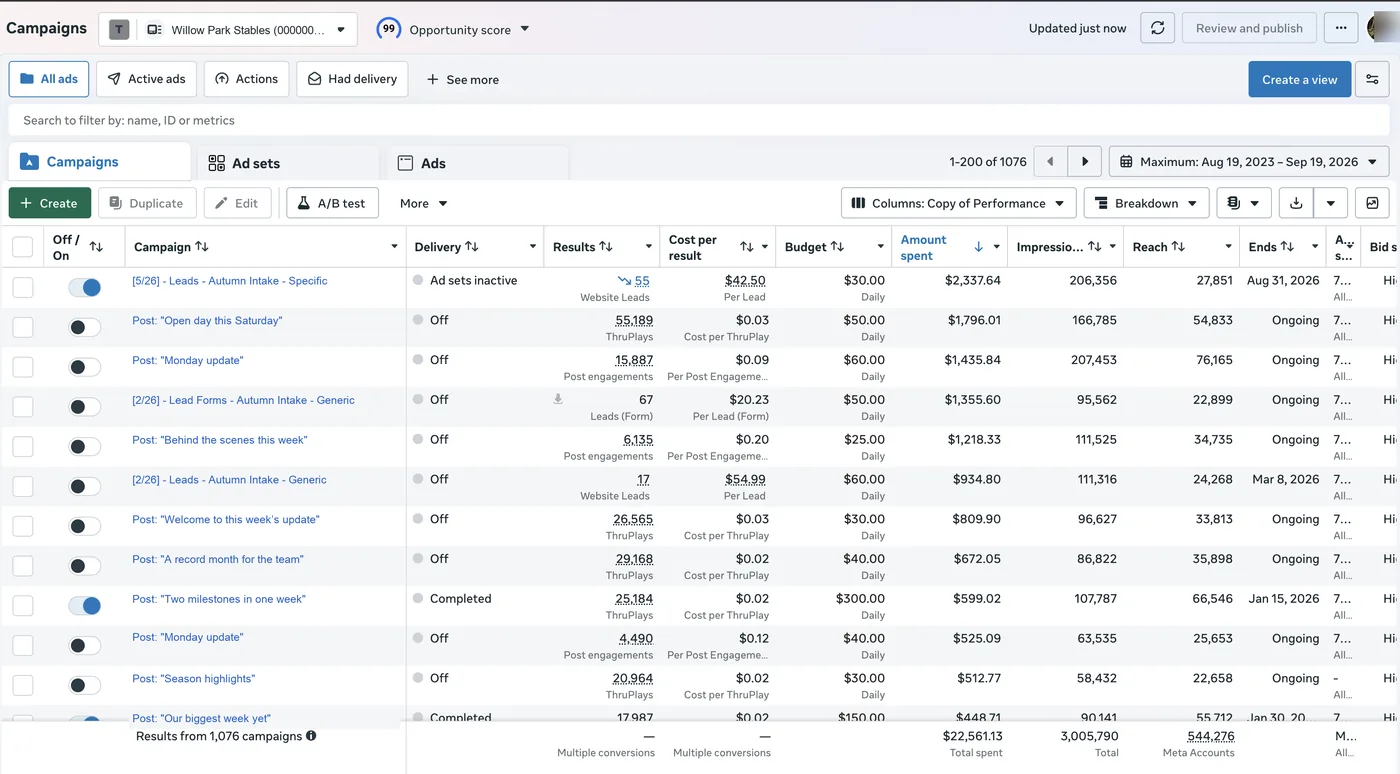
Meta's reporting has hundreds of columns and four that matter on a Monday morning. Each answers a question you already have. Meta Ads metrics explained takes the same four apart properly, including why you read them as a chain rather than a list.
What am I paying to be seen?
CPM: the price of a thousand impressions. It moves with competition, season and how Meta rates your creative.
At a $18 CPM, a $1,200 month buys roughly 67,000 impressions.Ads Manager · Performance columnsIs the creative working?
CTR: clicks divided by impressions. It judges the picture, headline and offer together, before your website gets involved.
A 1.2% CTR is 12 clicks for every 1,000 times the ad was shown.Ads Manager · by adHow many times is the same person seeing it?
Frequency: impressions divided by reach. Unique to this platform, and the earliest warning that a creative is wearing out.
A frequency of 2.4 over a month is comfortable. The same figure over a week is not.Ads Manager · Delivery columnsWhat did a result cost?
Cost per result: spend divided by results, where the result is whichever outcome your objective named.
$32 per purchase is a number you can hold against your margin.Ads Manager · Results columnRead in that order they tell a story. A cost per result that has drifted upward has few possible causes, and the three numbers above it name which: you are paying more to be seen, fewer people are clicking, or the same people are seeing the same thing too often. The fix differs in each case, and guessing is how budgets get raised on a problem more money makes worse.
The creative is the targeting. Change the picture and you change the audience, faster than any setting in the targeting panel.
Setting it up
Five steps, about seventy-five minutes. Order matters more than speed, and steps one and two are the ones people skip and regret.
- 1Create the Business Manager and the ad account properly
Set up a Business Manager under your own login, then create the ad account inside it. If an agency creates it in theirs, you are renting your own advertising history. Add the agency as a partner instead and you keep the assets when it ends.
15 min - 2Install the Pixel and the Conversions API
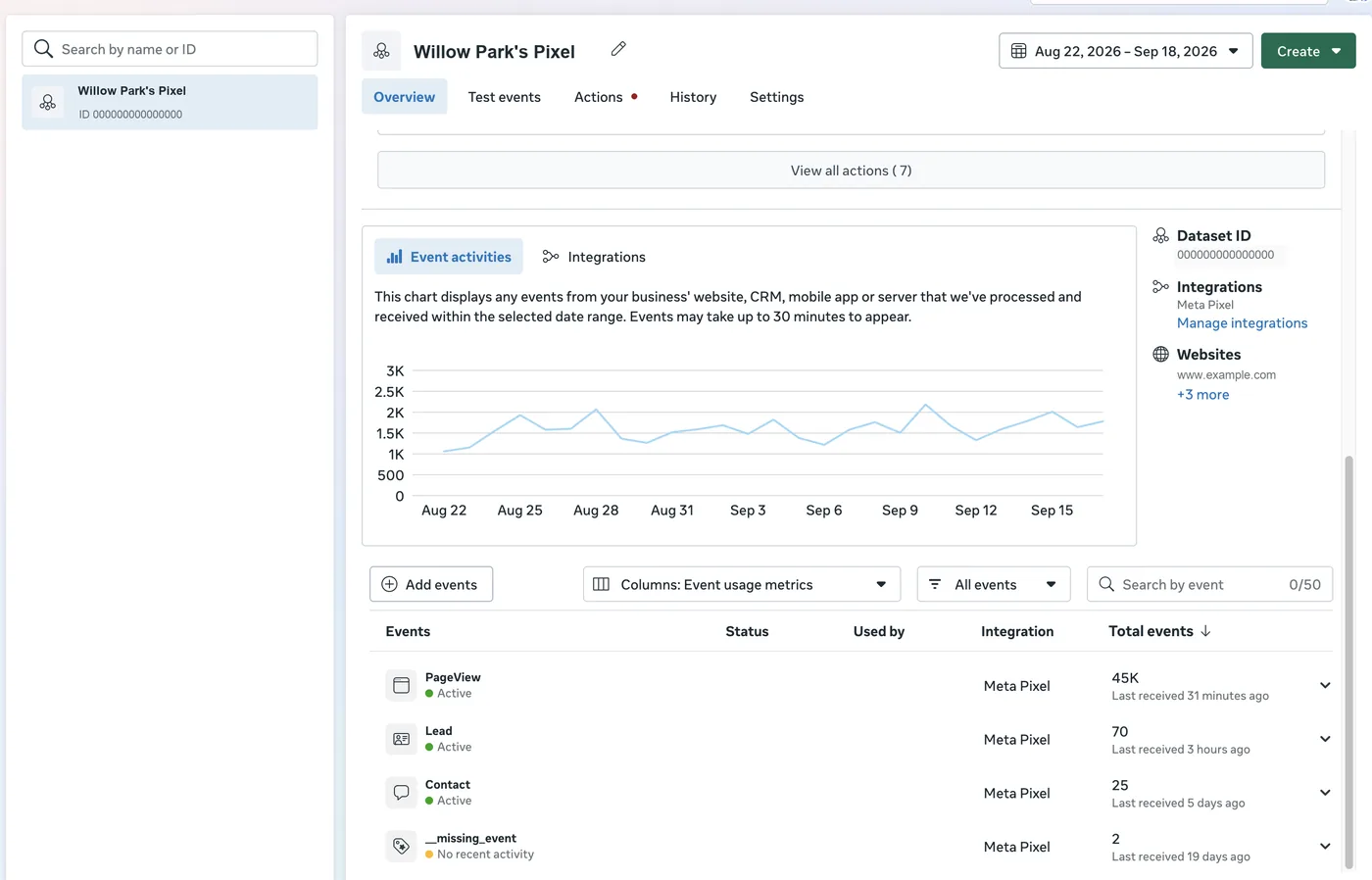
The Meta Pixel goes on your website; the Conversions API sends the same events from your server. Use both: browser privacy controls hide a large share of conversions from the Pixel alone, and an algorithm optimising on half the results learns half as well.
20 min - 3Pick one objective, and make it the real outcome
The algorithm optimises towards the objective, so choose what your business wants. Ask for traffic and you get people who click and leave, cheaply and in quantity. Ask for purchases and you pay more per click, and get orders.
5 min - 4Build one campaign with two or three different creatives
Different, not three colours of the same thing: a customer video, a product still, a plain offer card. That gives the algorithm room to find which kind of person responds to which message. Three variations of one idea test only the variations.
30 min - 5Set a budget that can produce enough results to learn from
Meta needs volume to optimise. Aim for at least 15 to 25 results a month: at a target cost per result of $40, that is $600 to $1,000. Below that the algorithm never finishes learning and you pay for noise you then read as a verdict.
5 min
Three things beginners misread
The wrong read
"Meta claims 48 purchases, Analytics shows 19. Meta is making it up."
The right read
"Meta counts people who saw the ad and later bought. Analytics credits whatever sent the final visit. Both are counting honestly, and neither is the whole picture."
Misread one
Meta and Analytics will never agree
Meta counts a conversion when someone who saw an ad converts inside its attribution window, including people who never clicked. Google Analytics credits the last channel that sent the visit, so someone who saw a Meta ad on Tuesday and typed your name into Google on Friday is a Meta purchase to Meta and an organic visit to Analytics.
Expect Meta to report more, always. Pick one number for decisions and stick to it, usually from your own orders or enquiries, and read platform figures as direction, not a count.
The wrong read
"Frequency is up to 4.1 and clicks are down. The audience is too small, so let's raise the budget."
The right read
"The same people have now seen this ad four times and stopped noticing it. A new creative resets it; a bigger budget just shows the tired one more often."
Misread two
Rising frequency with falling CTR is fatigue
When frequency climbs and click-through falls at the same time, the ad is wearing out. Everyone in the pool who was going to respond has responded, and Meta re-serves them because it has nothing fresher. CPM usually rises alongside, because reaching the same people costs more.
More budget accelerates this. The fix is a new creative, and our creative performance loop is the whole method: how many concepts to run, when to refresh, and how to keep a queue so the replacement is ready before the numbers demand it.
The wrong read
"It is not working yet, so I paused it on Thursday, changed the audience, and turned it back on."
The right read
"That restarted the learning phase. The four days of data Meta had already paid to collect are gone, and the next four will be spent collecting them again."
Misread three
Fiddling resets the learning
A new or edited ad set enters the learning phase, where costs run high and erratic. Significant edits (budget, audience, objective, creative) restart it, as does turning a campaign off and on.
The discipline is boring and it pays: leave a new campaign alone for a week, or until it has enough results to judge. Editing every few days means you permanently buy the most expensive phase and never reach the cheap part.
In Clearly
Meta Ads connects today. Sign in with the Facebook account that has access to your ad account, pick the account, and the report fills with spend, impressions, reach, frequency, CTR, CPM, results and cost per result, each against the previous period and coloured by whether the move is good or bad for that metric, so a falling CPM reads green and a falling CTR reads red.
Two blocks are worth building a report around. The top ads block renders the actual ad as it ran, the image or video thumbnail, with its spend and cost per result beside it, so the conversation starts from what people saw rather than a row of campaign names nobody recognises. The creative fatigue block reads frequency, click-through and CPM together on each creative, because any one moving has an innocent explanation and all three together is the diagnosis, and it tells you which creatives are wearing out while there is time to line up the replacement.
Keep this one
Meta metric cheat sheet
| Metric | What it is | How it is counted |
|---|---|---|
| Impressions | How many times your ad was shown | Every appearance counts; one person can generate many |
| Reach | How many separate people saw it | Each person counted once per period |
| Frequency | Average times each person saw it | Impressions divided by reach, for the period |
| Clicks | Taps on your ad | Link clicks go to your website; all clicks include likes and expands |
| CTR | Click-through rate | Clicks divided by impressions, as a %, never an average of daily rates |
| CPM | Cost per thousand impressions | Spend divided by impressions, times one thousand |
| Cost per result | What one outcome cost you | Spend divided by results (whatever your objective named) |
| ROAS | Return on ad spend | Revenue divided by spend, from summed totals, not averaged campaign figures |
Common questions
How much do I need to spend to test Meta properly?
Enough for 15 to 25 results a month, the volume the algorithm needs before it stops guessing. Work backwards from your target cost per result: at $40 a lead that is $600 to $1,000 a month, for two or three months before you judge anything. Spending $200 for three weeks gives you noise that looks like an answer.
Why does Meta report more conversions than Google Analytics?
They count different things. Meta credits an ad when someone who saw it converts within its attribution window, including people who never clicked. Analytics credits the last channel that sent the visit, so someone who saw your ad on Tuesday and searched for you on Friday is a Meta purchase in Ads Manager and an organic visit in Analytics. Neither is lying. Pick one source for decisions, usually your own orders, and read the rest as direction.
Do I need a Facebook page to run Instagram ads?
Yes. Every ad runs from a page, even one that only appears on Instagram, and linking the Instagram account to the page is part of setup. The page is worth running for its own sake: it is free, it is the first thing a curious buyer checks, and it has its own numbers worth reading. That is the next guide in this series, Facebook and Instagram Pages for Beginners.
How often should I change my creative?
When the numbers say so, not on a calendar. Rising frequency with falling click-through, usually alongside a rising CPM, is the signal, and it arrives sooner for a small audience. Keep the next concept ready before you need it, which is what the creative performance loop is for.
Should I boost a post or build a campaign?
Boost for reach on something already doing well organically, and expect engagement, not sales. Build a campaign in Ads Manager for any business outcome, because the objective, placements and conversion tracking live there. A boost optimises for people who will react to a post, not people who will buy.
Where to go next
Get the Pixel and the Conversions API in place before you spend anything, because everything after depends on Meta seeing what happened. Then put one budget behind two or three properly different creatives, leave it alone for a week, and read the four numbers in order: what you paid to be seen, who clicked, how often the same person saw it, and what a result cost. Almost every decision in the first six months is one of those four moving.
The series
All nine Platform 101s, in setup order
What each platform does, what it costs, how to set it up, and what its numbers mean.